

How to Optimize Your Airbnb Listing to Actually Book More Nights in PCB
There are several thousand short-term rental listings in Panama City Beach. A listing that just exists on the platform doesn’t compete with that – it gets buried. The hosts who stay booked are the ones treating their listing like the storefront it actually is: real photos, a real title, real amenities information, and a real plan for pricing and the calendar. Here’s what actually moves the needle.
Photos Do More Work Than Anything Else on the Page
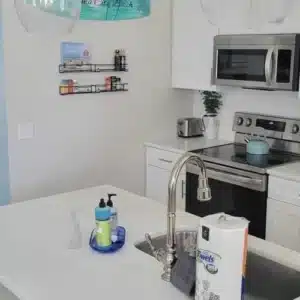
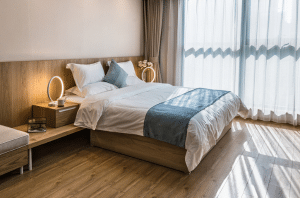
Professional photos aren’t a nice-to-have – they’re the first and sometimes only thing that decides whether someone clicks into your listing at all. Show the real standout features: the view, the pool, the layout that makes the space feel bigger than it is. Skip the dark, phone-camera shots that make a great unit look average.
Write a Title and Description That Actually Say Something
Your title should include the terms guests are actually searching for – “Gulf view,” “steps to the beach,” “sleeps 8” – not just a cute nickname for the property. In the description, paint the real picture: what it feels like to wake up there, what’s a short walk away, what makes this unit different from the one next door. It doesn’t matter if someone finds you through Google, social media, or the Airbnb app itself – all of them are driven by the same thing: whether your listing actually uses the words people are searching for.

If there’s a real downside to the property – no elevator, a highway view from one bedroom, whatever it is – say so upfront. It saves you a bad review from someone who would’ve been fine with it if they’d known going in.
Amenities: What to Offer (and What Not To)
List everything your property offers, from the basics like Wi-Fi and A/C to the extras like a stocked kitchen or a fireplace. But there’s a real balance here: whatever you provide, you have to maintain and replace when it disappears.
Case in point: if you leave a Bluetooth speaker in the unit, it will eventually walk off. If you stock every spice and oil in the kitchen, don’t be surprised when a guest calls at 9pm expecting you to run over a bottle of olive oil because they used yours making dinner.
Spell Out What’s Actually Included
Define this clearly in your listing and check-in instructions. If you provide one roll of toilet paper per bathroom to get guests started, say so – we’ve seen hosts get a call at midnight because a guest assumed unlimited supplies were included for the whole stay. Decide upfront whether you’re stocking the essentials or just a starter supply, and put it in writing everywhere a guest will see it.
Should You Self-Manage?
A property manager takes the day-to-day off your plate, but it typically runs 25% to 30% of your nightly rate. Plenty of owners self-manage for exactly that reason – and even if you bring one on later, it helps to understand what’s actually involved first.

A Real Website Beats a Listing Alone
There are two kinds of Airbnb websites: the kind thrown together on a simple page builder that’s really just an online business card, and the kind that’s actually built to bring in bookings – fast, informative, and set up for search engines to find. If your only online presence is the Airbnb listing itself, you’re leaving direct bookings (and the platform fees that come with them) on the table.
Get Found Where PCB Actually Talks
Find the Facebook groups built around what people already come to PCB for – beach days, kayaking, fishing, cycling, car shows, whatever fits your property. Keep up with the local events calendar and mention it when relevant, both on social and in your listing itself. Post consistently rather than in one big burst; the platforms reward accounts that show up regularly.
Use a Real Channel Manager
We recommend OwnerRez. It handles electronically signed rental agreements for direct bookings, gives you control over deposits, refunds, and cancellations, tracks where your bookings actually come from, automates your check-in/check-out communication, and syncs your calendar across every platform so you’re never double-booked. It does more than that, but those are the pieces that matter most day to day.

Price It to Actually Turn a Profit
Know your real minimum nightly rate before you touch your pricing strategy – mortgage, taxes, utilities, and a buffer for repairs and the occasional deep clean all factor in. From there, tools like PriceLabs and Booking.com’s free RateIntelligence tool can help you adjust for season and demand instead of guessing.
Keep the Calendar Working For You
A well-managed calendar affects your visibility as much as your photos do. Use dynamic pricing, adjust your minimum-stay requirements by season, and keep the calendar current so you’re capturing peak booking windows instead of missing them.

Reviews Are the Heart of the Listing
Respond quickly, handle problems directly, and go a little further than expected. Positive reviews don’t just look good – they’re what Airbnb’s own search algorithm rewards with better placement.
Show Off the Neighborhood, Not Just the Unit
Guests choose a property based on what’s nearby as much as what’s inside it. We see three types of guests come through PCB: the ones who know the area well, the ones who think they do, and the ones who’ve never been here. A short local-highlights section – linking out to a resource like Visit Panama City Beach – gives all three something the listing next door probably doesn’t have.
When Your Listing Still Isn’t Working
Sometimes you’ve done all of this and bookings still aren’t where they should be. That’s usually a sign the listing needs a real outside look, not another round of small tweaks. Our Full Listing Audit & Rewrite service does exactly that – we go through your photos, title, description, and amenities the way a booking guest actually would, and tell you specifically what to fix. See what’s included.
Once your listing is optimized, the next step is building a brand guests remember – see our guide on how to elevate your Airbnb brand.